st.text() method in Streamlit
The st.text() method is a text display function in Streamlit used to show plain, unformatted text.
It is typically used to:
- Show status messages or logs.
- Display fixed-width text.
- Add simple descriptions without Markdown formatting.
Unlike st.markdown(), it does not interpret Markdown or styling; it displays the text exactly as provided.
Syntax
st.text(body)
The function has the following parameter:
- body: The text to display. It can be a string, f-string, or multi-line string.
Text is displayed in a monospaced font (fixed-width), similar to console output.
Example: Basic Text
Python
import streamlit as st

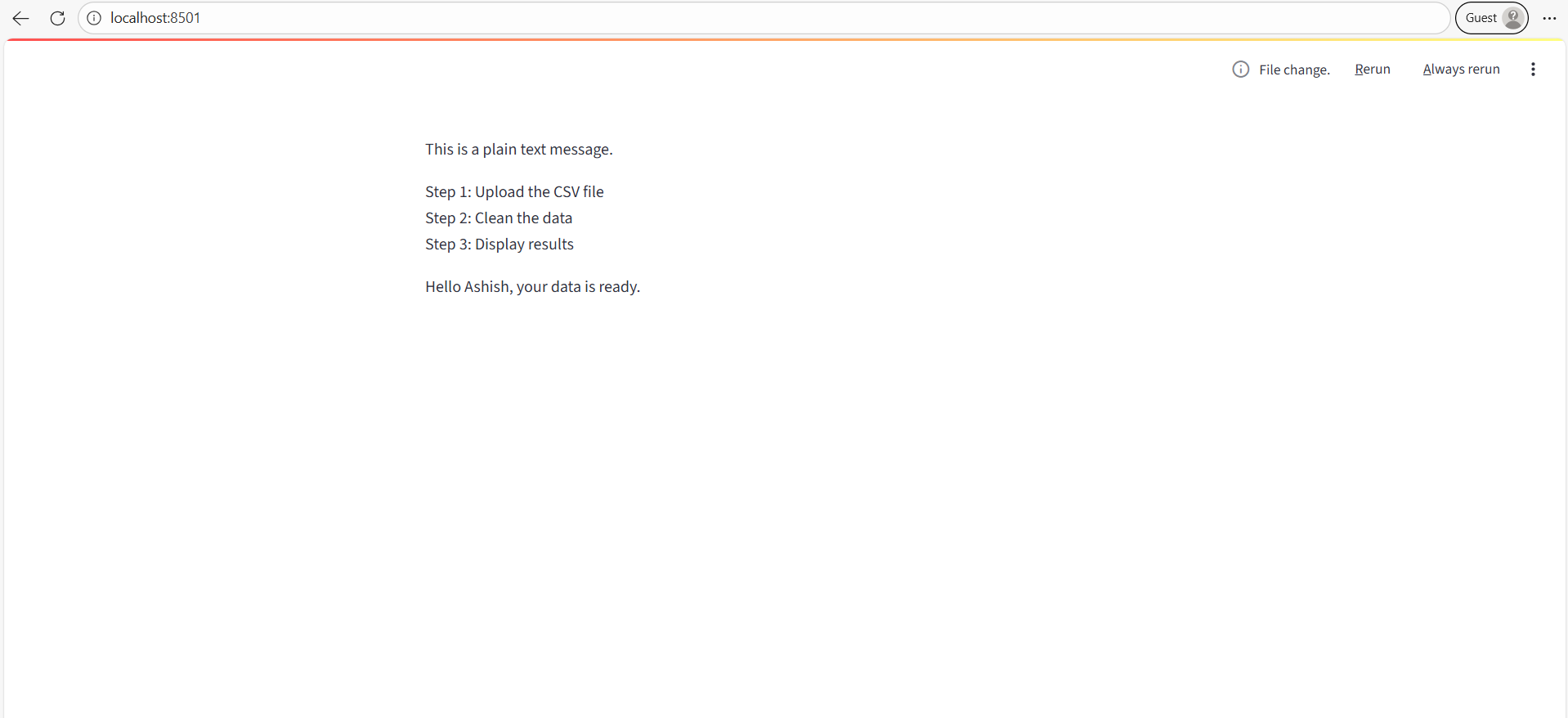
st.text("This is a plain text message.")

# Multi-line text
# Displays all lines exactly as written, maintaining line breaks.

st.text("""
Step 1: Upload the CSV file
Step 2: Clean the data
Step 3: Display results
""")

# Using f-strings
user = "Ashish"
st.text(f"Hello {user}, your data is ready.")
The output of the above code is shown below: