text_input widget in Streamlit
The text_input method is a text input widget in Streamlit that allows users to enter a single line of text.
It returns the string entered by the user.
Common Uses
- Accepting user input (name, email, search term)
- Dynamic filtering of data
- Interactive dashboards
Syntax
st.text_input(
    label,
    value="",
    max_chars=None,
    key=None,
    type="default",
    help=None,
    autocomplete=None,
    on_change=None,
    args=None,
    kwargs=None,
    *,
    placeholder=None,
    disabled=False,
    label_visibility="visible",
    icon=None,
    width="stretch"
)
Important Parameters
- label (str): A short label explaining the purpose of the input.
- value: Default text shown when the widget first loads.
- key: Unique identifier used to distinguish widgets.
Example: Basic Text Input
Python
# Import Streamlit
import streamlit as st

# Create input box
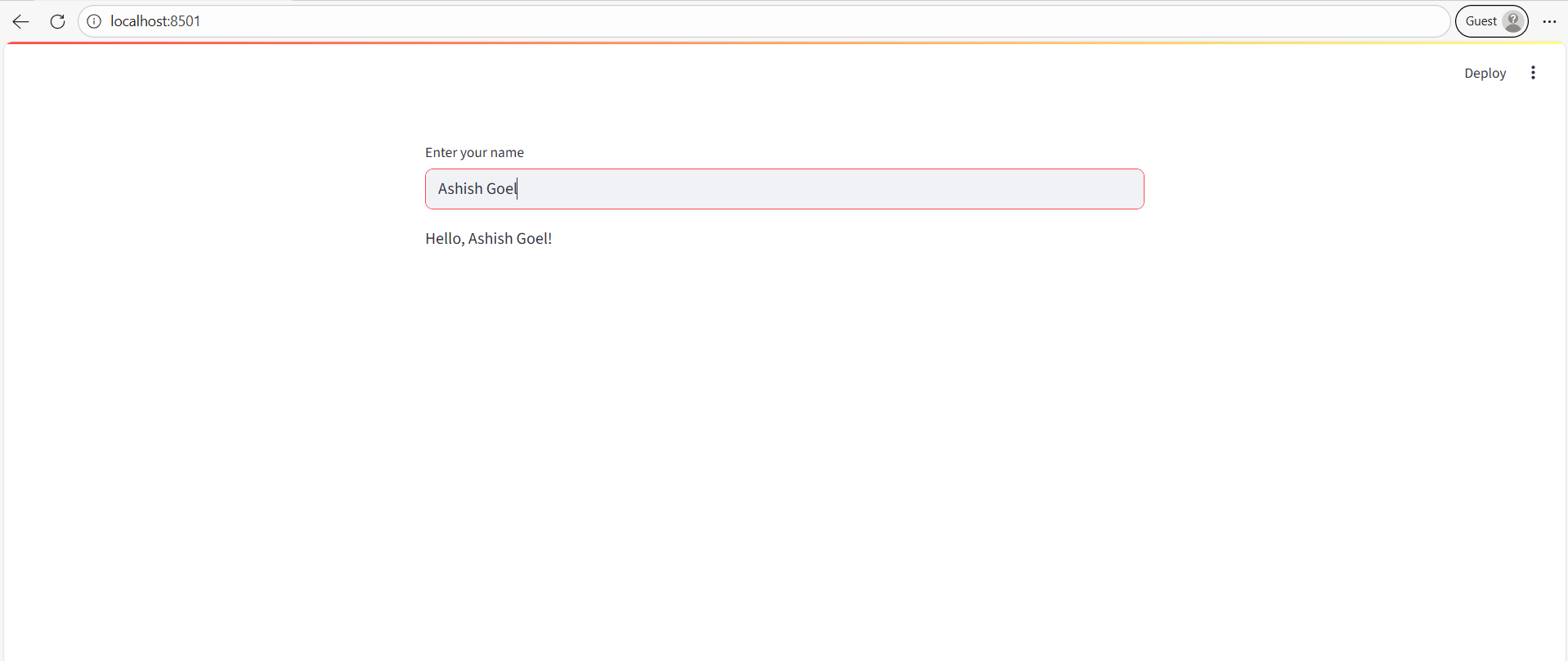
name = st.text_input("Enter your name")

# Display output
st.write(f"Hello, {name}!")
Explanation
- A single-line input box appears.
- Whatever the user types is stored in the name variable.
- The result is displayed dynamically below the input.
Example: With Default Value
Python
import streamlit as st

city = st.text_input("Enter city name:", value="New York")

st.write("You selected:", city) - The input box already contains "New York".
- The user can edit the value.
Example: Password Input
Python
import streamlit as st

password = st.text_input("Enter your password:", type="password")

st.write("Password length:", len(password)) - Characters are hidden for privacy.
- Useful for login forms or sensitive input.
Example: With Placeholder
Python
import streamlit as st

email = st.text_input(
    "Enter your email:",
    placeholder="example@example.com"
)

st.write("Your email is:", email) - Placeholder text guides the user.
- The placeholder disappears when the user starts typing.